
How to wear, set up and run a complete session
This video walks you through unboxing, fitting the vest, selecting your wavelength and temperature settings, and completing a full red and near-infrared light therapy session from start to finish. Suitable for first-time users and ongoing daily use.
| 1 | Inspect and unbox | Check the vest, controller cable, and connectors for any damage before first use. |
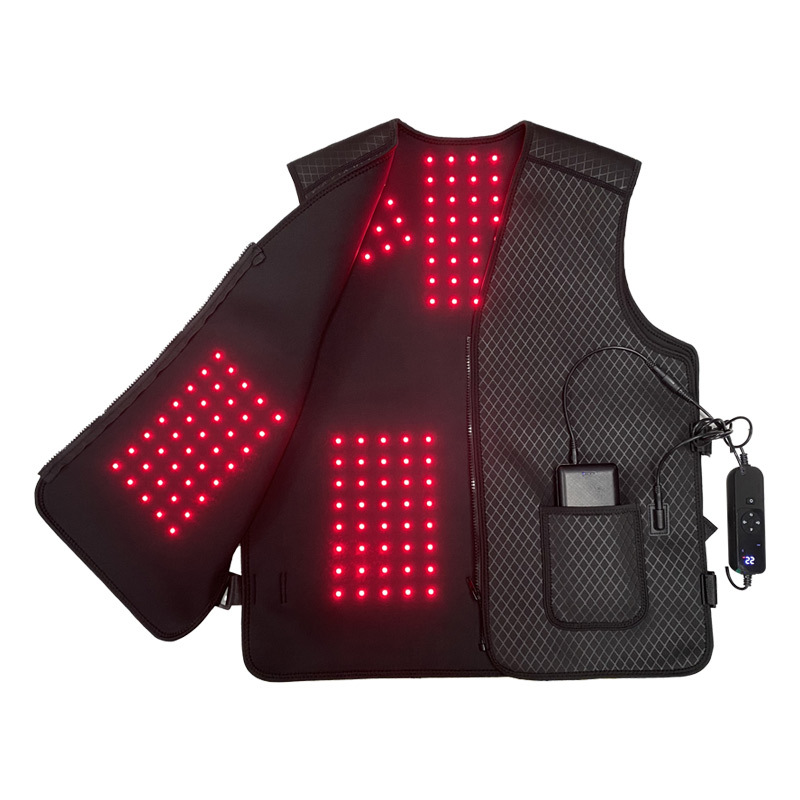
| 2 | Put on the vest | Slip both arms through the shoulder openings and fasten the front closure. The LED panels should sit flat against your chest, upper back, and shoulders. |
| 3 | Connect the controller | Plug the controller cable into the vest port. Connect the power cable to a 110V outlet or compatible power bank. |
| 4 | Select wavelength mode | Choose 660nm (red light, surface tissue), 850nm (near-infrared, deep tissue), or combined mode depending on your treatment goal. |
| 5 | Set temperature level | Low (45°C) for daily maintenance · Medium (55°C) for post-exercise recovery · High (65°C) for deep treatment. |
| 6 | Begin your session | Sit or stand comfortably for 20–40 minutes. You may feel gentle warmth — this is normal. Do not exceed 40 minutes per session. |
| 7 | End and store | Power off the controller before removing the vest. Allow to cool fully. Wipe the inner surface with a damp cloth and hang or fold flat for storage. |